Presentation management that eliminates technical failures at conferences

Slideshow City transforms conference sessions with centralized presentation management for AV teams and stage managers. From last-minute uploads to seamless on-stage transitions – manage every part of your conference presentations with confidence.

Built for AV teams, trusted by conference professionals

Slideshow City is made for moments when everything needs to run smoothly. Whether you're running a medical symposium, an academic event, or a multi-track company conference, the tool helps your AV team stay in control from the moment a file is uploaded to the final slide on stage.

When things go wrong during a session, it's not just awkward, it sticks in people's minds. Slideshow City helps you avoid those moments. It checks slides before they reach the stage, gives your team one place to manage everything, and makes it easy to switch between sessions without stress.

And because Slideshow City syncs directly with Registration Town, your speaker data and session schedules are always up to date: no spreadsheet juggling, no manual work.

With less chaos behind the scenes, speakers feel more confident and AV teams can focus on the flow of the event. Everything just works the way it should.

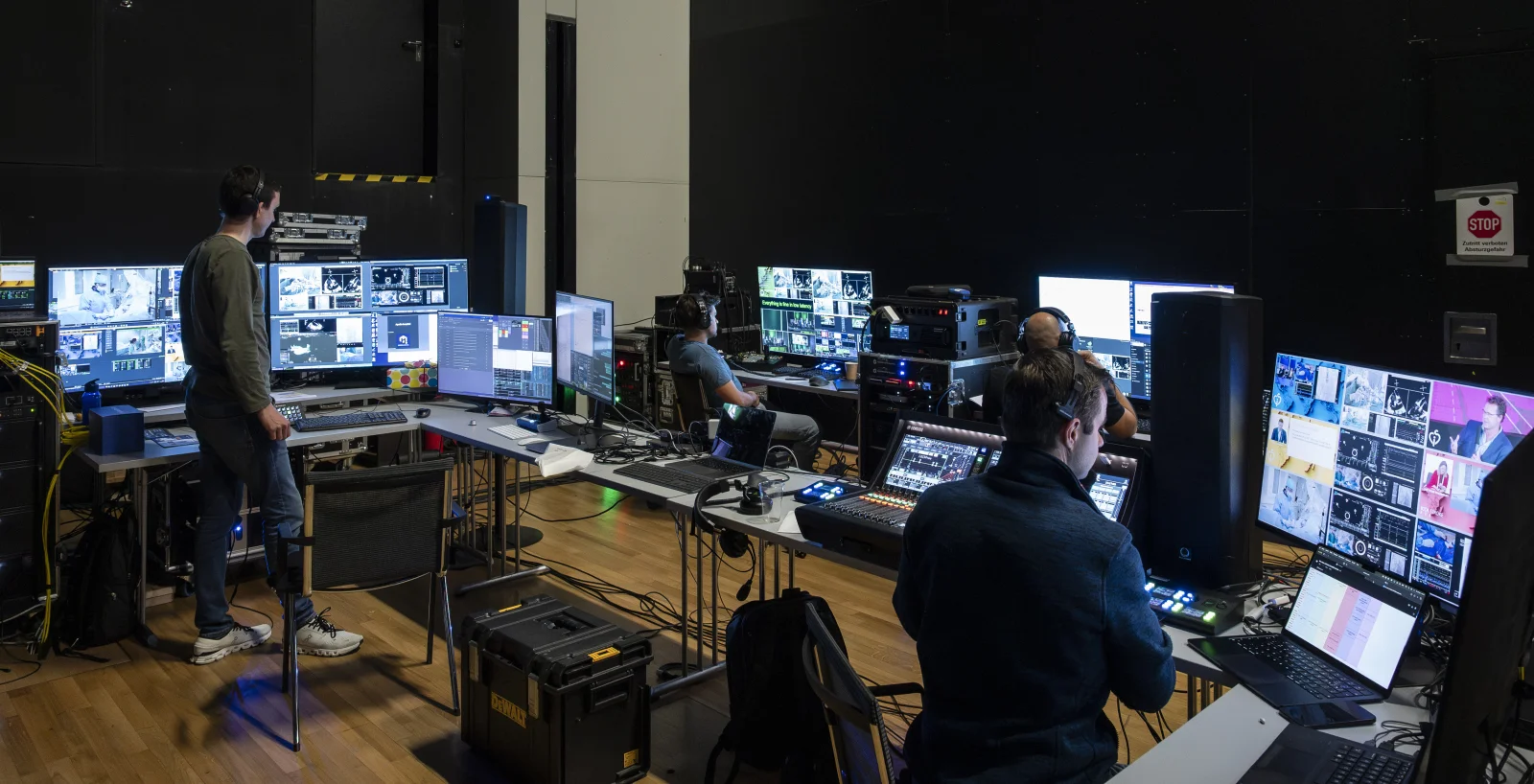
Slideshow City control room interface showing presentation management dashboard

Complete presentation management features for conference sessions

Every feature in Slideshow City is designed to reduce AV stress and ensure flawless conference sessions.

Presentation review and validation

Get ahead of problems before they ever reach the stage.
Slides are uploaded through a secure portal where the system automatically checks formats, fonts, codecs, and dimensions. Your AV team reviews everything in one place and can request changes early if needed. Presentations show up exactly as they should with no surprises.

Control room operations

Stay calm under pressure with one screen for everything
Back-to-back presentations are easy to handle with centralized controls. Your team sees every title and speaker in the queue, can trigger the next slide deck with a click, and keep sessions moving on schedule. Signage updates automatically, and vMix integration is built in.

Kiosk mode for speakers

Give speakers confidence without giving up control.
Self-check kiosks let speakers preview their slides, test playback, and verify everything works before stepping on stage. It's reassuring for them, and your AV team stays in charge of all final uploads: No last-minute scrambling with USBs.

Signage layouts and displays

Information stays clear and in sync across the venue.
Room screens, lobby monitors, and stage displays update automatically with speaker names, titles, and timing. Signage is configurable, professional, and integrates smoothly with video production tools like vMix.

Speaker room management

Structure helps everyone stay on track.
Speaker check-in stations keep things moving and let your team monitor who has arrived, verified slides, or completed tech briefings. Preview stations make sure everything's ready and if someone doesn't show, you'll know early enough to adjust the program.

Live stage management

Every session runs like clockwork.
Speakers transition smoothly thanks to tools like countdown timers, speaker notes, and one-click access to backup slides. Your stage manager stays connected to the control room at all times, so even complex events feel effortless.

Why AV teams choose Slideshow City

01

Catch problems before they hit the stage

Validation tools flag issues before they ever reach the stage. Your team knows everything works – no surprises, no stress.

02

Stay in control across every room

With centralized control, your AV crew handles sessions calmly from one place. Everything stays in sync across rooms.

03

Help speakers shine

A smooth upload process and clear feedback help presenters feel prepared. They focus on their talk, not tech worries.

04

Keep your conference on track

Slideshow City keeps presentations flowing. Digital signage, room coordination, and built-in buffers support seamless transitions.

Works seamlessly with Registration Town

Slideshow City and Registration Town work hand in hand. Speaker details, schedules, and program updates flow automatically between the two tools, so your AV team is always working with the latest information.

Want to go even further? Our REST API gives you full access to all presentation and control room data. Whether you're building custom dashboards or syncing with your in-house tools, Slideshow City adapts to your setup.

Slideshow City
Registration Town

Frequently asked questions

What is a conference management system (CMS)?

A conference management system helps organizers handle everything behind the scenes: speakers, schedules, signage, and presentations. Slideshow City acts as the CMS for what happens on stage — managing uploads, reviews, real-time updates, and AV control in one place.

What makes Slideshow City different from other presentation tools?

Slideshow City is built for professional conferences with lots of sessions and speakers. Unlike basic presentation tools, it manages the whole process: from file upload and review to signage, stage transitions, and live production. It's designed for high-pressure, multi-room events.

Does it work with PowerPoint, Keynote, and PDF files?

Yes. Slideshow City handles PowerPoint, Keynote, PDF, and Google Slides. It checks for format issues, fixes them if needed, and ensures your slides look right no matter what tool you used.

Can speakers upload their presentations directly?

Speakers upload their presentations themselves through a secure portal. The system checks the files automatically. Your AV team gets to review, give feedback, and approve — so quality stays high without adding manual work.

Can Slideshow City handle last-minute changes?

Yes. The speaker room lets your team quickly review last-minute updates. The system keeps version history and timestamps, so you always know what's current. If an update passes validation, it can go live immediately — your team stays in control of what goes on stage.

How does the control room work during live sessions?

It’s like mission control for your AV team. You see what’s live, what’s next, and what’s changed, and you can launch any presentation with one click. No digging through folders. Just focused, professional execution.

How fast can we set up Slideshow City for our event?

Most events are up and running in about a week. That includes system setup, AV team training, speaker onboarding, and testing. We also offer on-site support if needed.

Does Slideshow City integrate with Registration Town?

Yes. When your schedule updates in Registration Town, your signage and presentation flow in Slideshow City update automatically. One connected system means fewer errors and a smoother experience for everyone.

Ready to eliminate technical failures at your conference?

Let Slideshow City help you run smoother sessions and reduce stress behind the scenes. Book a free demo and we'll walk you through how the platform supports flawless presentation workflows from upload to live stage.

Questions? Get in touch or email drop us a line at hello@summitware.be

